10 AI Automations Every Solopreneur Should Set Up
Ten practical automations for solo consultants — with Zapier vs Make plan gates, human-review rules, and lean/free/full cost stacks.
You do not need dozens of AI agents. You need a short list of automations that remove repeatable admin — with a human still approving anything a client will see. Below are 10 workflows a solo consultant or freelancer can set up in a weekend, with the tool and plan each one usually needs.
This is a researched playbook based on vendor docs and common freelancer patterns — not a claim that we run your business for you.
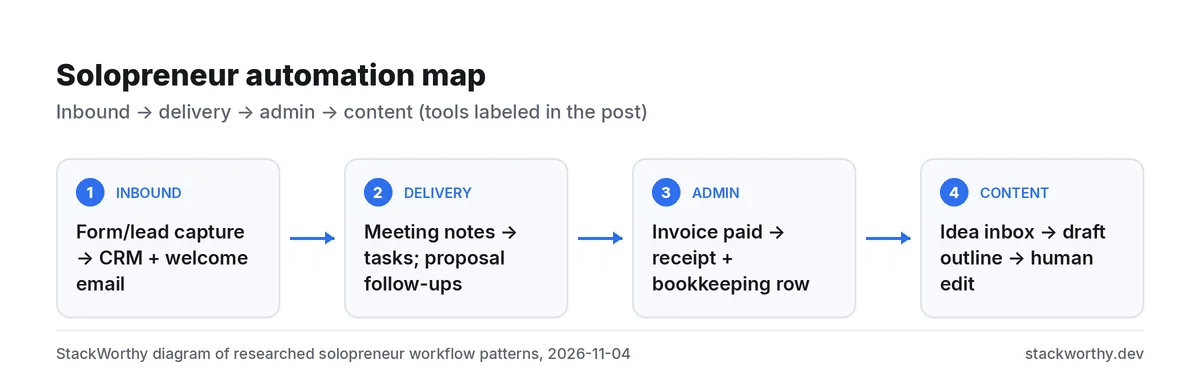
What you need
- A form or scheduling tool you already use (Typeform, Tally, Calendly, etc.)
- Email (Gmail/Outlook) and a place for notes/tasks (Notion, Asana, ClickUp, Todoist…)
- Optional: a meeting assistant (best AI meeting assistants) and Make or Zapier
- A rule: no client-facing AI text sends without your review
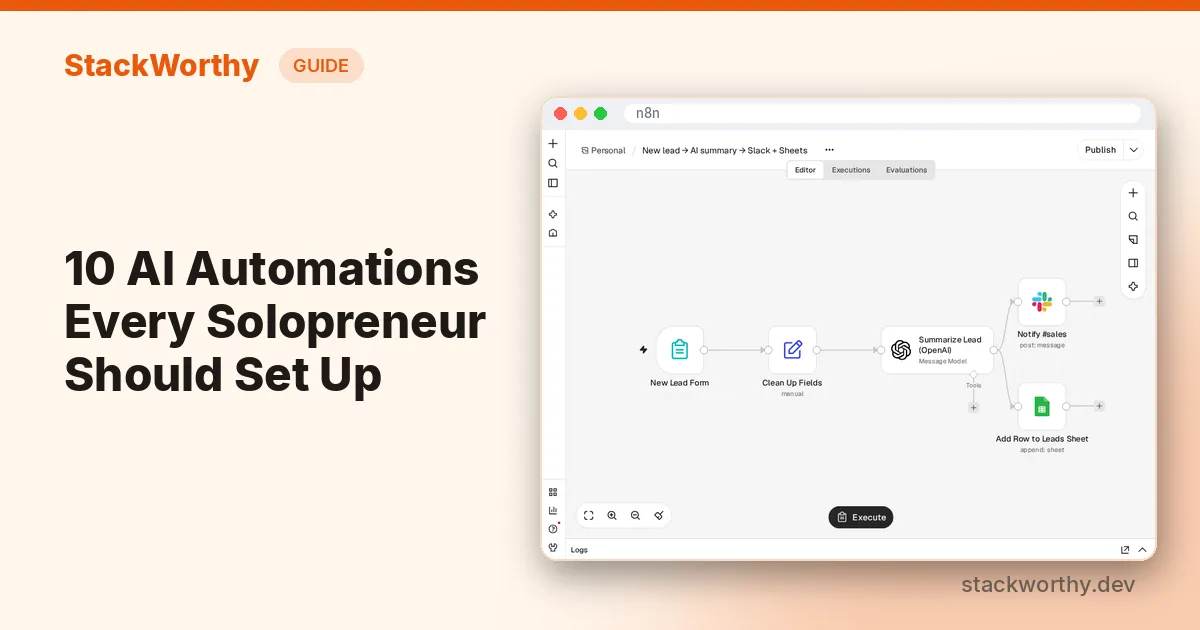
1. New lead form → CRM row + internal Slack/email ping
Trigger → action: new form submission → create/update a CRM or spreadsheet row → notify you.
Tool/plan: Zapier Free works if it stays two steps (form → Sheet). A third step (Slack) needs Zapier Professional or a Make scenario on Free credits.
2. New lead → AI draft welcome → human sends
Trigger → AI → action: form submit → AI draft a personalized welcome → save to Drafts / Notion for you to edit and send.
Tool/plan: Zapier Professional (AI by Zapier + multi-step) or Make with an AI module (credits vary; Bring-your-own-key options exist on paid Make plans per Make's credits docs). Keep the send step manual.
3. Meeting ends → action items → task tool
Trigger → action: new meeting in Fireflies/Fathom/Otter → create tasks in Asana/ClickUp/Notion.
Tool/plan: Prefer a native integration first; otherwise Zapier Professional or Make. Step-by-step: turn meeting notes into tasks. To keep those tasks from going stale, follow the meeting follow-up workflow.
4. Calendar booking → prep doc + reminder
Trigger → action: new Calendly (or similar) event → create a meeting prep page → remind you 24 hours prior.
Tool/plan: Often two or three steps → Zapier Professional or Make Free if credit math fits.
5. Invoice paid → receipt folder + thank-you draft
Trigger → action: Stripe/PayPal/QuickBooks payment → save receipt metadata to Drive/Sheets → draft thank-you email for review.
Tool/plan: Multi-step → paid Zapier or Make. Do not auto-send tax or legal wording from AI without review.
6. Signed proposal → kickoff checklist
Trigger → action: document signed (DocuSign/HelloSign/PandaDoc) → create a project template / checklist in your PM tool → notify you.
Tool/plan: Multi-step; Zapier Professional or Make.
7. Support inbox triage → tagged draft reply
Trigger → AI → action: labeled support email → AI suggests reply + tags urgency → lands in a review folder.
Tool/plan: Zapier Professional with AI by Zapier, or Make + OpenAI/Anthropic module. You send the reply.
8. Content idea capture → outline draft
Trigger → AI → action: new row in an "ideas" database / form → AI outline → Notion/Docs draft.
Tool/plan: Make Free may cover low volume; Zapier Professional for multi-step + AI.
9. Weekly metrics rollup
Trigger → action: schedule every Monday → pull rows from Sheets/Stripe → email yourself a summary (AI optional for narrative).
Tool/plan: Make schedulers or Zapier Schedule; watch Make polling credits and Zapier task use.
10. Churn / quiet client nudge list
Trigger → action: CRM last-contact date older than N days → add to a "nudge" list → draft a check-in for review.
Tool/plan: Needs filters/paths → Zapier Professional or Make routers (Make routers/error handlers do not consume credits per Make's credits help).
Lean cost stacks (illustrative)
| Stack | Rough monthly tools | Good for |
|---|---|---|
| Free | Zapier Free (two-step only) + Make Free 1,000 credits + free meeting tool tier | Learning; light volume |
| Lean (~$20–50) | Zapier Professional entry tier or Make Core + one meeting assistant paid plan | Real multi-step client ops |
| Full | Zapier Team or Make Pro/Teams + n8n Cloud if you outgrow task pricing | Agencies / high volume |
Exact dollars depend on your task/credit use — re-check Zapier pricing and Make before you budget. For cheaper Zapier exits, see best Zapier alternatives.
How to roll these out in a weekend
- Pick three from the list that match pain you feel this month (usually 1, 3 and 5).
- Draw the happy path on paper: trigger → fields you need → destination. Skip AI on the first pass if a plain mapping works.
- Build on Make Free or Zapier Free when the flow is truly two steps; upgrade only when you hit the two-step or credit wall.
- Add a triage lane (Notion database view, Asana section, or Gmail label) labeled "AI drafted — needs me" so nothing client-facing auto-sends.
- Measure for two weeks: tasks or credits used, minutes saved, errors. Then decide whether Zapier Professional, Make Core, or an n8n path is worth it — see also best Zapier alternatives.
Tool notes (researched, Nov 2026)
n8n
Workflow automation and AI agents, cloud or self-hosted
- Fireflies / Fathom for meeting capture: start from best AI meeting assistants and the how-to on meeting notes to tasks. Prefer native task sync when it exists.
- OpenAI / ChatGPT as an AI step: fine via Zapier's AI by Zapier or Make's AI modules; you still owe a human edit on client copy.
- n8n as an advanced path when multi-step Zapier tasks dominate your bill and you are willing to learn a node editor (Cloud) or run Community Edition.
What should stay manual
Contracts with custom legal language, pricing exceptions, anything that could invent client facts, and final sends of proposals or invoices. Automate the routing and drafting; keep judgment on you.
Try Make's free 1,000 credits Useful when Zapier Free's two-step limit blocks you
For current Make credit prices and plan gotchas, see n8n vs Make: credits vs executions.
Get the StackWorthy briefing
One short email when tools worth your money change. No spam.
Related: Zapier vs Make · Meeting notes to tasks · Best AI meeting assistants
Frequently asked questions
Which automations work on Zapier or Make free plans?
Zapier Free: two-step Zaps and 100 tasks/mo (checked November 4, 2026). Make Free: 1,000 credits/mo. Anything with filters, paths, AI by Zapier or a third step needs Zapier Professional or a Make scenario within your credits.
Where does AI belong vs plain if/then rules?
Use rules for deterministic routing (paid → folder X). Use AI for drafting and classification, then require a human review before anything client-facing sends.
What should stay manual for a solo consultant?
Final client emails, proposals, invoices with custom terms, and any step where a wrong AI guess would damage trust.
What is a rough monthly cost for a lean stack?
Often Zapier Professional from about $20/mo yearly or Make Core from $12/mo yearly at 10k credits (Make prices from our verified offer data November 4, 2026), plus whatever you spend on forms and a meeting assistant. Volume drives the real bill.