Best Project Management Tools for Freelancers (2026)
ClickUp, Todoist, Notion, Asana and monday.com ranked for freelancers — free plans, seat minimums, client guests and what to skip if you work alone.
For most freelancers and 1–3 person studios, ClickUp is the strongest project-management starting point — Free Forever covers unlimited members, docs and boards with storage and time-tracking usage limits; Core includes ongoing basic time tracking. Todoist wins if you only need personal tasks. Asana Starter wins when client guests must be free and unlimited. Skip monday.com's paid plans if you work alone — paid work-management plans start at three seats.
This is a researched roundup, not a hands-on test.
Quick picks
| Need | Pick |
|---|---|
| Best overall for freelancers | ClickUp |
| Lightest free task list | Todoist Beginner |
| Docs + light PM in one place | Notion |
| Unlimited free client guests | Asana Starter |
| Visual boards with a real team of 3+ | monday.com |
Pricing at a glance
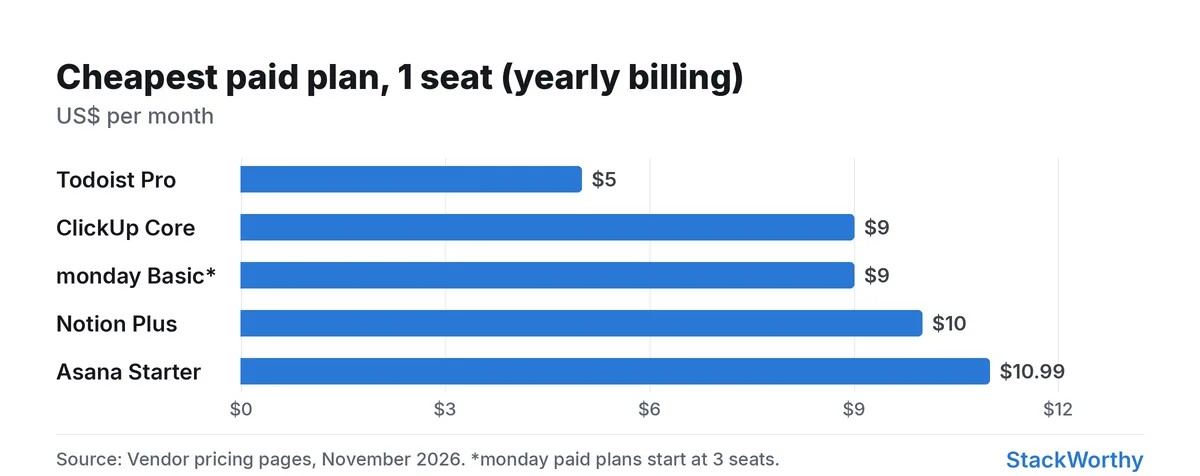
Prices checked November 2026; USD per user/month on annual billing unless noted.
| Product | Free plan | Paid from | Billing / seat note |
|---|---|---|---|
| ClickUp | Free Forever | Core $9 | Per user/month, billed yearly |
| Todoist | Beginner | Pro $5 | $60/year for an individual |
| Notion | Free | Plus $10 | Per member/month, yearly |
| Asana | Personal | Starter $10.99 | Per user/month, billed annually |
| monday.com | Free | Basic $9 | Per seat/month, annual billing; 3-seat paid minimum |
How we ranked
We ranked for solo freelancers and studios of about 1–3 people: free-plan usefulness, seat minimums, client/guest sharing, time tracking, docs, learning curve, and what AI actually costs. Enterprise IT suites are out of scope. Prices below are yearly billing where the vendor shows it, as listed on each pricing page in November 2026.
1. ClickUp — best overall for freelancers
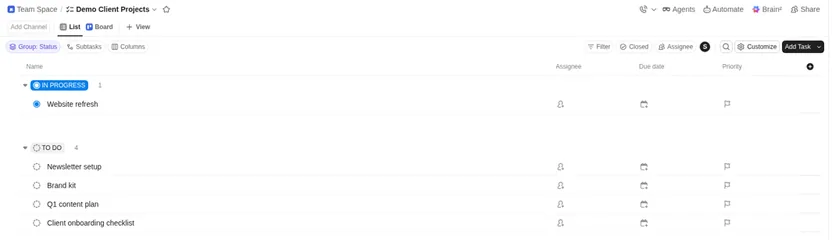
ClickUp is the default pick when you want tasks, views, time tracking and light docs without paying for empty seats.
Free Forever: $0, unlimited free members, collaborative docs, boards and calendar, with 60 MB storage and a Brain credit trial. Basic time tracking is marked Trial on Free and Included on Core; the help page lists 100 create/edit/delete time-entry uses on Free. It is a usage limit, not a timed trial. Advanced/billable tracking has separate limits. Storage is not the only upgrade consideration.
Paid (yearly): Core $9/user/mo ($12 monthly); Business $17/user/mo ($25 monthly).
Watch-outs: the product is deep; new users can feel lost. AI credits are pooled per plan — fine for light use, easy to outgrow on heavy Brain usage.
Pick ClickUp if you run client projects with deadlines, time logs and a few collaborators, and you want one tool instead of tasks + docs + a timer.
2. Todoist — best lightweight free list
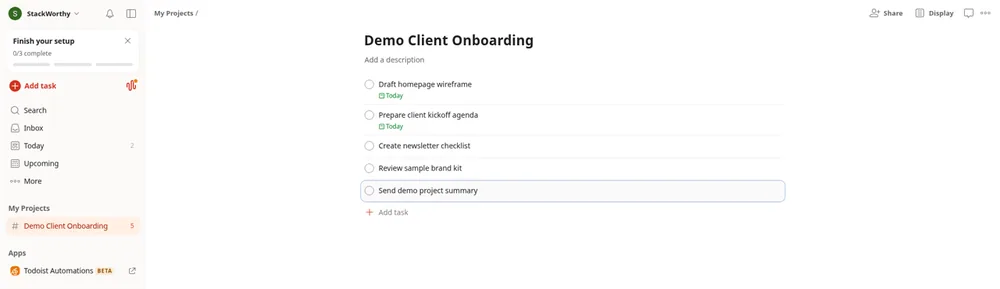
Todoist is for freelancers who need a clean personal task system, not a full work OS.
Beginner: $0 with 5 personal projects. Pro: $5/mo ($60/year). Business: $8/user/mo ($96/year billed yearly) after a free team workspace.
Watch-outs: it is not a substitute for client portals, heavy docs or multi-view PM. Keep it when the job is "capture and finish tasks," not "run the studio."
Pick Todoist if you are solo, hate complex PM UIs, and already keep briefs elsewhere (Notion, Google Docs, email).
3. Notion — best docs-first workspace
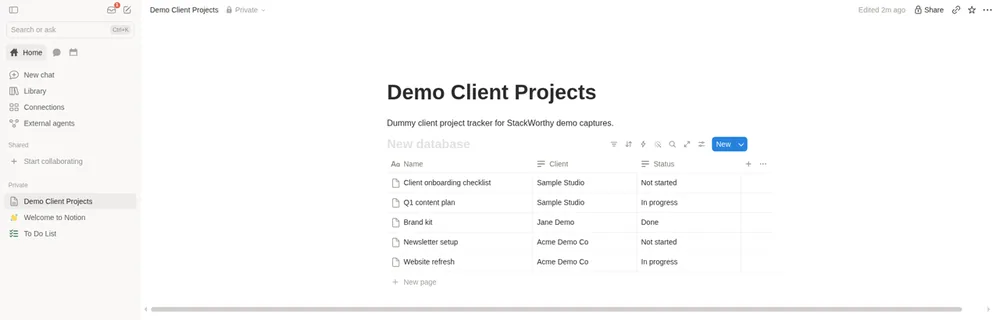
Notion wins when the "project" is a living brief, content calendar or research database and tasks are secondary.
Free: $0 — comfortable solo; limits for 2+ members and 5 MB uploads. Plus: $10/member/mo (yearly toggle). Business: $20/member/mo with Notion Agent and AI Meeting Notes. Custom Agents are free to try, then $10 per 1,000 Notion credits.
Watch-outs: native time tracking and PM views are thinner than ClickUp or Asana. Free gets cramped once a contractor joins the workspace.
Pick Notion if writing and wiki structure are the center of your freelance business. Pairing Notion + Todoist/ClickUp only helps if you decide which system owns tasks.
4. Asana — best when clients need free guest seats
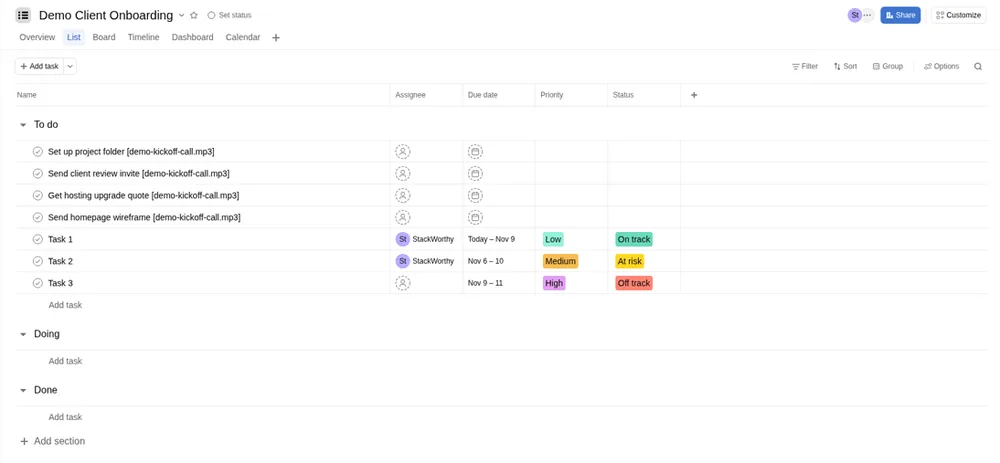
Example workspace captured during an Advanced trial.
Asana is the client-collaboration pick.
Personal: $0 for one or two people. Starter: $10.99/user/mo billed annually — unlimited free guests, no user seat limits, AI features included with separate AI-request pricing ($0.50 prepaid / $0.60 pay-as-you-go per request). Advanced: $24.99/user/mo billed annually.
Watch-outs: Personal caps collaboration at two people. AI request metering is a second bill to watch if you lean on AI Studio heavily.
Pick Asana if clients must drop comments and complete tasks without burning a paid seat — Starter's unlimited free guests are the point.
5. monday.com — only if you already have three seats to fill
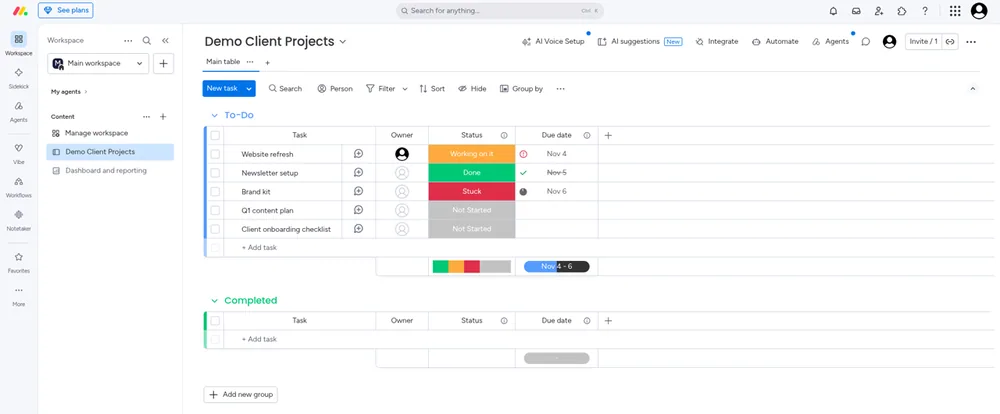
monday.com looks friendly on marketing pages, but the economics punish solo freelancers.
Free: up to 2 seats. Paid work-management plans start from 3 users (pricing-page FAQ). On yearly billing, the work-management plans list Basic $9, Standard $12, and Pro $19 per seat/mo (totals shown as billed annually).
Watch-outs: a solo operator who needs paid features still hits the 3-user paid minimum. Basic includes unlimited free viewers; guest access is listed from Standard. AI features are available from Basic.
Pick monday.com if you already collaborate with at least two other people who need paid seats and want visual boards with a shallow learning curve. Do not buy it "for one person" hoping Free will scale — Free stops at two seats, and paid starts at three.
Which should you choose?
| If you… | Choose |
|---|---|
| Need one PM hub for clients and time tracking | ClickUp Core for ongoing basic tracking; Free has usage limits |
| Only need a personal task list | Todoist Beginner/Pro |
| Live in docs and databases | Notion |
| Need unlimited free client guests | Asana Starter |
| Have 3+ people who will use paid seats | monday.com Basic or Standard |
| Are tempted by monday.com alone | Stay on ClickUp Free/Core or Asana Personal instead |
Automating status updates out of these tools is a separate problem — see Zapier vs Make. For a deeper Notion vs ClickUp split, see Notion vs ClickUp for Small Teams.
Related: Is ClickUp worth it for a 5-person team?.
Get the StackWorthy briefing
One short email when tools worth your money change. No spam.
Frequently asked questions
What's the best free PM tool for a solo freelancer?
ClickUp Free Forever for boards and docs, with 60 MB storage and a 100-use basic time-tracking allowance for creating, editing or deleting entries. Core includes ongoing basic tracking; advanced/billable features have separate limits. Todoist Beginner if you only need a personal task list.
Which tools charge for client guests?
Asana Starter includes unlimited free guests for clients and contractors without adding licenses. monday.com lists unlimited free viewers from Basic and guest access from Standard.
Is monday.com worth it for one person?
Usually no. Free is capped at two seats, and paid work-management plans start at three users, so a solo freelancer pays for empty seats.
Do I need AI features in a PM tool?
Only if you will use them weekly. Notion gates Agent/AI Meeting Notes to Business; ClickUp and Asana include AI credits or requests on paid tiers with usage caps or per-request fees. Start without AI, then upgrade when the workflow is real.